Get Started
Intune Support for Mobile App Management
With Microsoft Intune mobile app management (MAM), you can add PagerDuty for Intune to a set of trusted apps to ensure that sensitive business data stays secure on unmanaged personal mobile devices. This allows you to manage PagerDuty access and provides added security without taking full control of devices.
Before you configure PagerDuty for Intune, keep the following in mind:
- You must have a Microsoft Intune account with an assigned Microsoft Intune license.
- You must belong to a security group targeted by an app protection policy that targets the PagerDuty app before registering your app.
- You are not required to have an Azure Active Directory (AD) account to use Intune. However, you require Azure AD admin access and Intune admin access to configure permissions.
Availability
FedRAMP Authorization Boundary
Required User Permissions
Enable PagerDuty for Intune
- In the PagerDuty web app, navigate to User Icon Account Settings and select the Mobile Security Settings tab.
- In the Mobile App Access section under the Access to PagerDuty for Intune iOS and Android heading, select Enabled from the dropdown.
- Click Save.
Grant Permissions for Android Users
To use Intune on Android devices, you must approve PagerDuty mobile enterprise app registration permissions in Microsoft Azure. You can grant permissions in one of two ways:
- Manually approve and grant consent on behalf of your organization using the installation link.
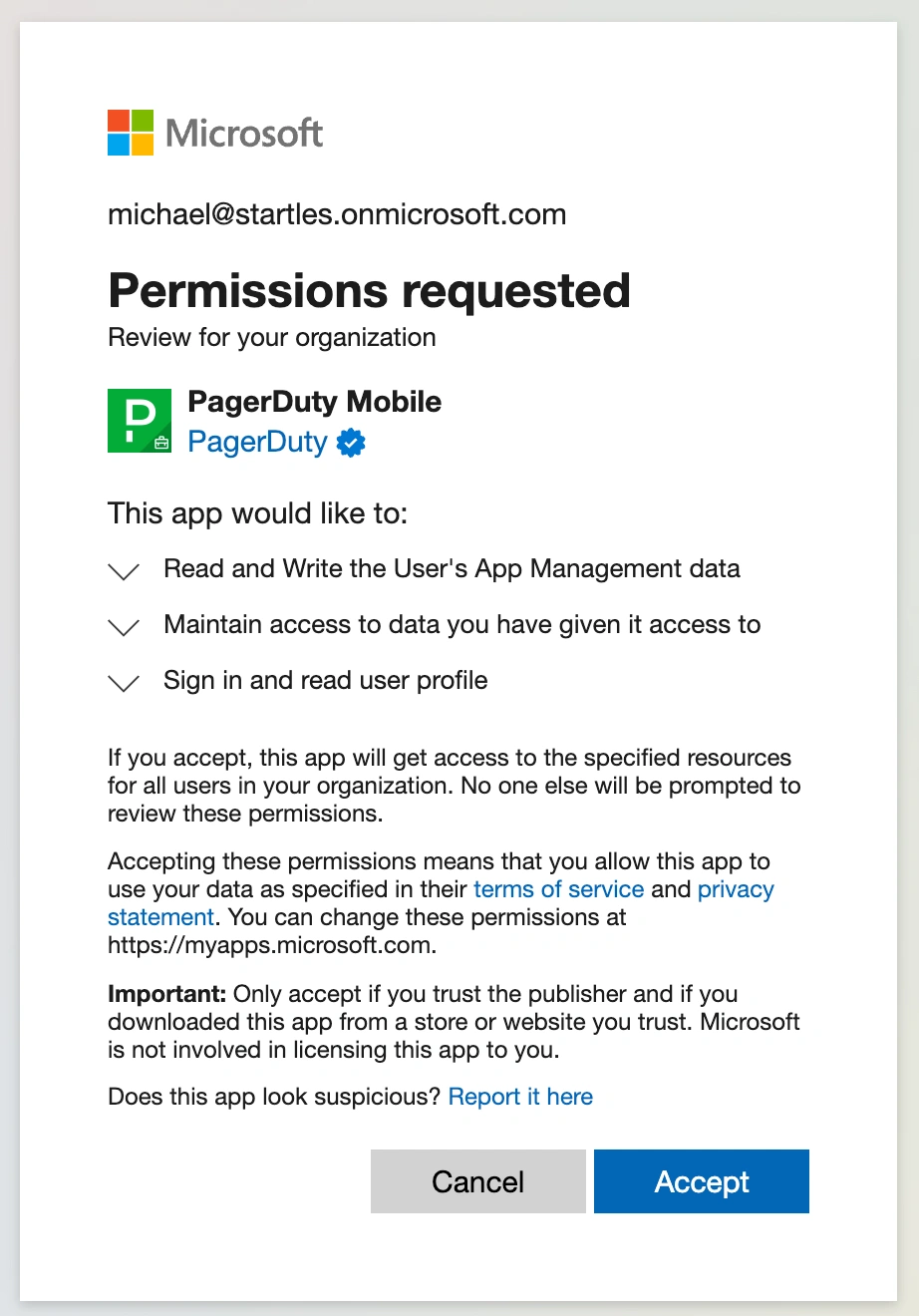 Permissions modal via installation link
OR,
- Grant consent by registering a device via the PagerDuty for Intune mobile app. If you have not already granted permissions, a prompt to approve them appears when you register a device. Important: You must select the Consent on behalf of your organization checkbox.
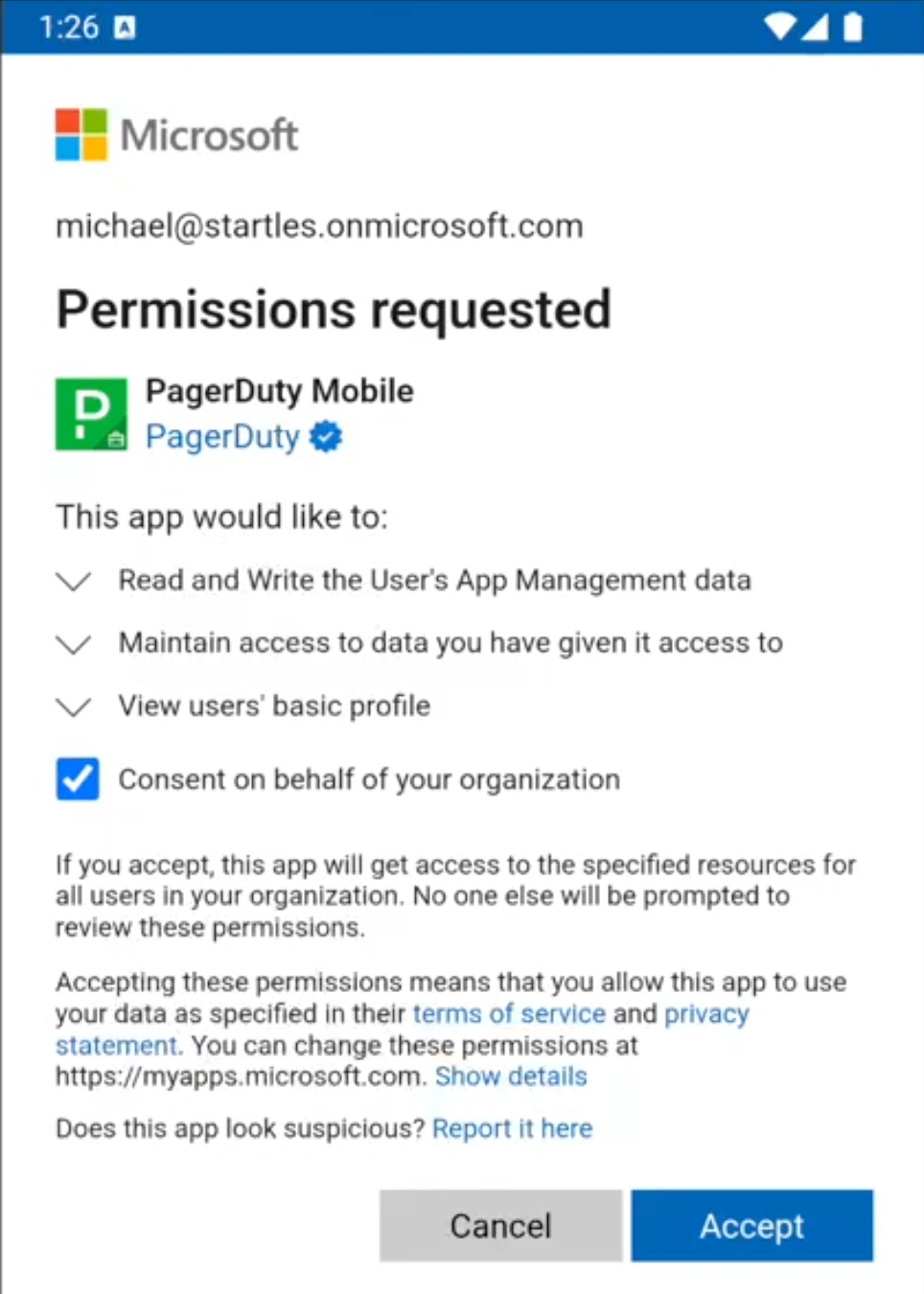 Permissions modal via Intune mobile app
This app registration only requires approval once, at which point you can successfully register devices and use the PagerDuty for Intune app.
| Permission | Description | Type |
|---|---|---|
| offline_access | Maintains access to data you have given it access to | Delegated |
| openid | Allows users to log into the app and allows the app to see basic user profile information | Delegated |
| profile | Allows the app to see your users' basic profile (for example, name, picture, user name, email address) | Delegated |
| DeviceManagementManagedApps.ReadWrite | Allows the app to read and write the users' data pertaining to itself in the Intune Mobile Application Management service | Delegated |
Disable Mobile App Access
If you are migrating to PagerDuty for Intune, you can also disable access to the standard PagerDuty mobile app. Disabling access to the mobile app automatically logs you out.
- In the PagerDuty web app, navigate to User Icon Account Settings and select the Mobile Security Settings tab.
- In the Mobile App Access section under the Access to PagerDuty for Intune iOS and Android and/or Access to Default PagerDuty iOS and Android headings, select Disabled from the dropdown.
- Click Save.
- In the modal that appears, enter
DISABLE(case-sensitive) and click Confirm.
Disabled Mobile App Login
If you attempt to log in to the mobile app while it is disabled, you receive an error message:
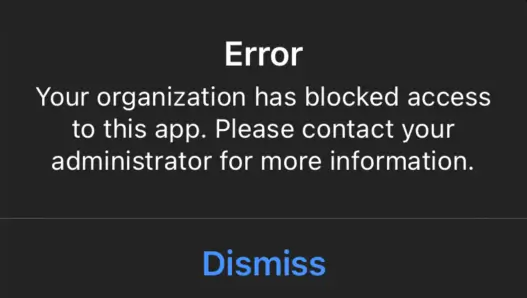 App disabled
Contact your organization's PagerDuty administrator to adjust mobile app access in the previous section.
Add PagerDuty for Intune as a Managed App
You can administer PagerDuty for Intune in your Intune dashboard:
- In your Intune dashboard, add PagerDuty for Intune to the list of managed apps.
- Assign the PagerDuty for Intune app in Intune.
Intune App Management Policies
You can set app configuration and app protection policies for the PagerDuty for Intune app from the Microsoft Endpoint Manager admin center. Visit the Microsoft Help Center for a full list of available app protection policies for apps on iOS and Android devices.
Log In to PagerDuty for Intune
You can download the PagerDuty for Intune app from the App Store (iOS) or Google Play Store (Android). You must then complete the app registration. After signing in to Intune using your Microsoft account credentials, you can log in to the PagerDuty mobile app.
Android Devices
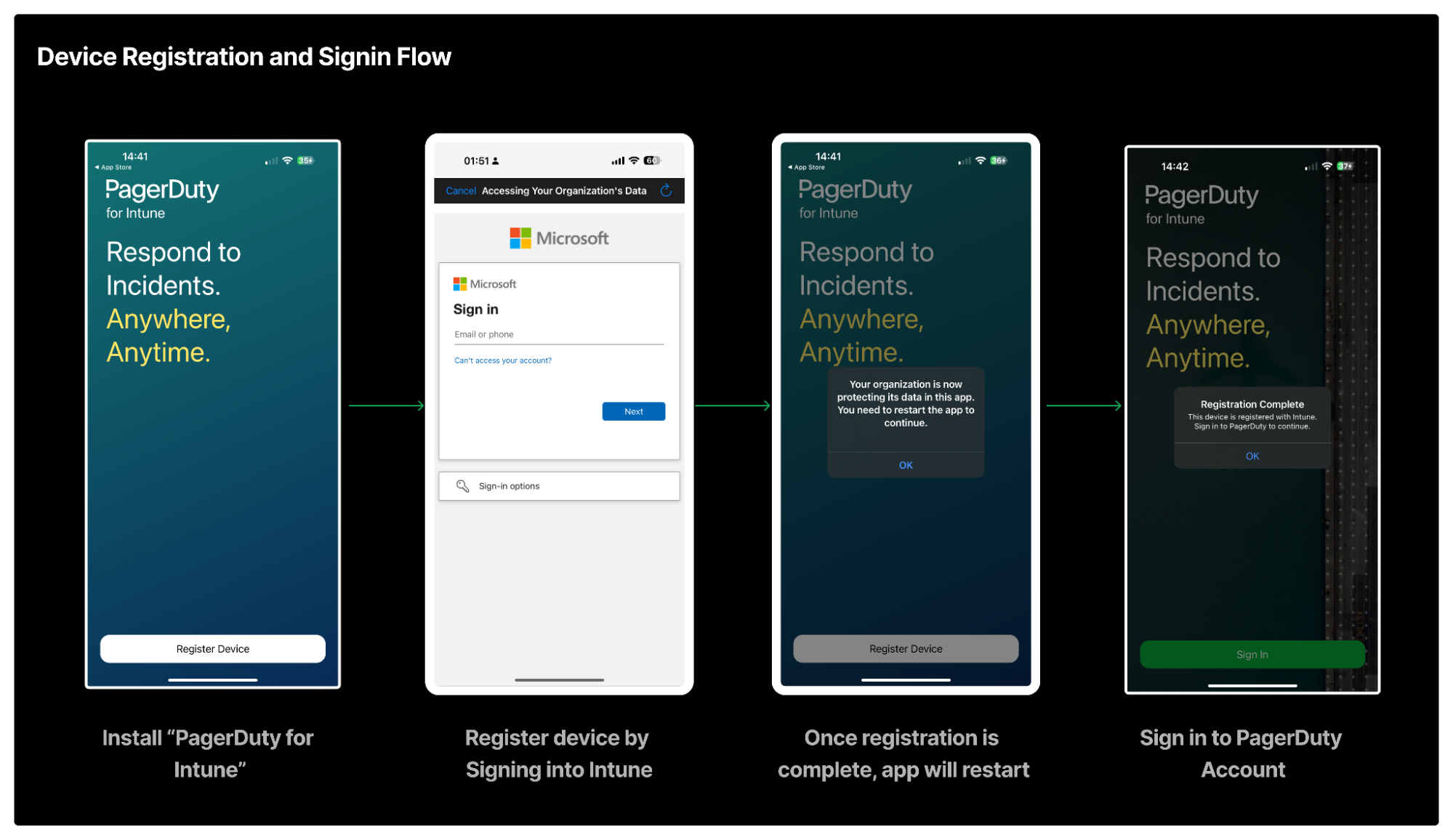 PagerDuty for Intune registration and sign in flow