Developer
App Functionality Overview
App Functionality Overview
Once you have registered your app, add functionality to make it useful.
PagerDuty App Functionality
| App Functionality | Description |
|---|---|
| Events Integration | Send machine events from your tool to PagerDuty over our asynchronous Events API. This is the best way for monitoring tools to connect with PagerDuty in order to trigger incidents. |
| Simple Install Flow | If you're using the Events API, your users can quickly connect to PagerDuty directly from your tool with the Simple Install Flow! See Demo |
| Classic User OAuth | Connect to our REST API as a PagerDuty User to administer PagerDuty or access data (create an on-call schedule, get a list of team members, etc). |
| Scoped OAuth | Connect to our REST API as a PagerDuty App or a PagerDuty User with detailed scopes to administer PagerDuty or access data (create an on-call schedule, get a list of team members, etc). |
More ways to integrate with PagerDuty
These platform features are not available through PagerDuty's app configuration framework (yet!) but are still available for your app to use.
| REST API Token | If you need account-level access to a PagerDuty account, you can request a token from PagerDuty admin users. |
| Webhooks | PagerDuty will send messages to your tool when certain activities occur. For example: when an incident is triggered, when a note is added to an incident, etc). There are 2 ways to create a webhook extension:
|
Which app functionality is right for me?
Use our API Picker resource to choose the app functionality that's right for your needs. See OAuth Functionality for a more detailed description of the various OAuth functionalities.
Adding functionality to your app
- Go to the configuration page for your app. See how to register or edit an app
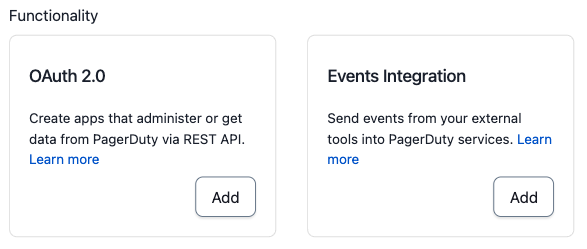
- Scroll down the the Functionality section of the page and click the Add button on the card which represents the functionality you would like to add. See the above section for more information on app functionality.
- On the next page, you'll be asked for more information to configure that app functionality.
- Click Save to save the configuration and add that functionality to your app.
- Click the Manage button to make edits or remove functionality from an app
Removing functionality from your app
Warning
This action cannot be undone. Be sure that app functionality is not needed before you remove it.
- Go to your app's configuration page. See how to register or edit an app
- Scroll down the the Functionality section of the page and click the Manage button on the card which represents the functionality you would like to remove.
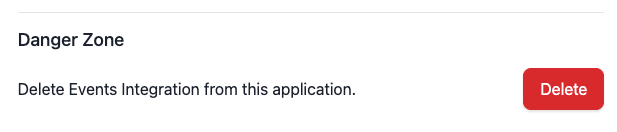
- To remove Events Integration Functionality scroll to the Danger Zone at the bottom of the page and click Delete
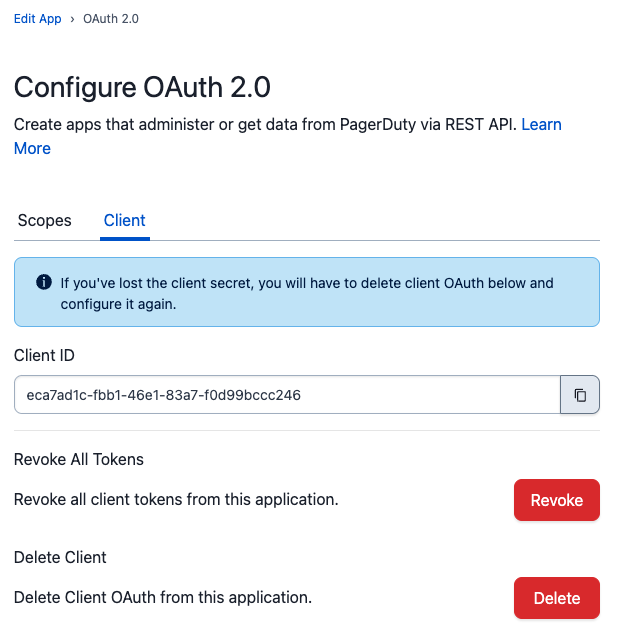
 To remove OAuth functionality, navigate to the Client tab and click Delete.
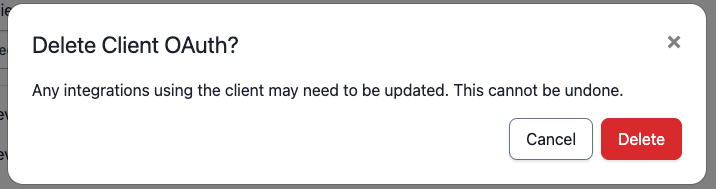
- Confirm that you would like to remove app functionality