Developer
Register an App
Register an App
Accessing App Registration Page
When you log into a developer account, you'll be taken straight to the App Registration page. If you're on a PagerDuty customer account, follow these steps:
Note: App Registration is available only to users with a base role of User or Manager (Advanced Permissions) and above.
- Log in to your PagerDuty account.
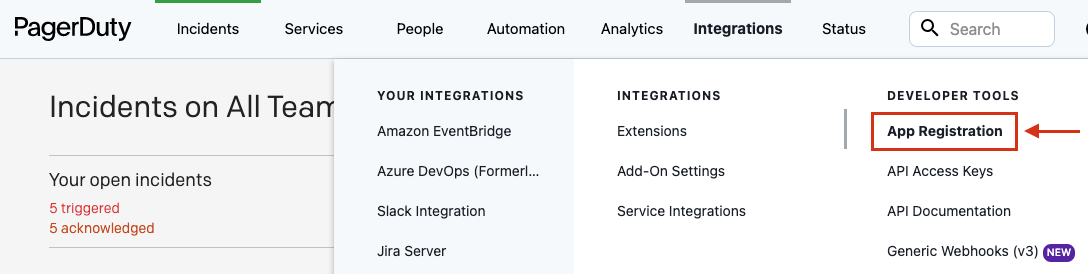
- From the top menu, select Integrations.
- Select App Registration from the menu to navigate to the My Apps page.
Creating an app
Apps are associated with a PagerDuty subdomain and a user and cannot be moved between subdomains or users. Continued access to this subdomain and user is needed to make any configuration changes to the app.
On the My Apps page, select New App. Enter a name for your app and a brief description, and complete the rest of the New App wizard as necessary.
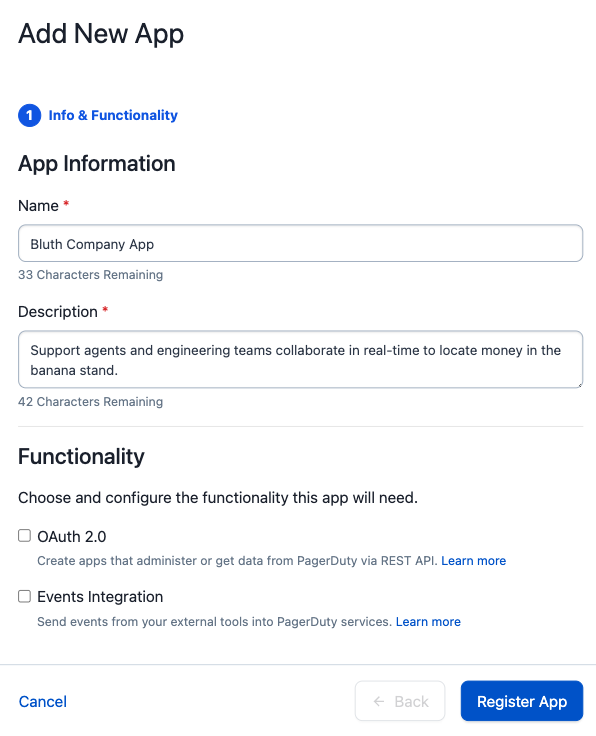
The new app will now appear under My Apps in the App Registration page.
Editing your app configuration
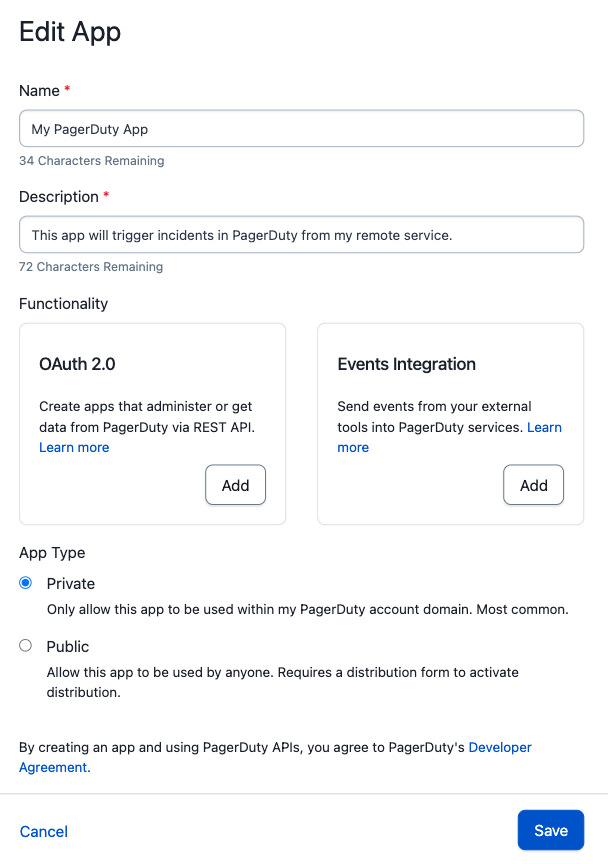
By selecting an app from the My Apps page, you will be directed to the Edit App page. From this page you can:
- Edit the app name and description.
- Add API and/or OAuth functionality.
- Change your App Type to distribute/publish your app and share with all PagerDuty customers.