Developer
Writing App Event Transformers
Writing App Event Transformers
What is an event transformer?
An event transformer is JavaScript code (ES6) used to convert a payload sent to PagerDuty into the Events API v2 Common Event Format. Event transformers are hosted and executed in PagerDuty.
Event transformers are part of Events Integration app functionality.
Learn more about event transformers and how to add them to your app
Code Editor
The Events Integration app functionality page contains a Monaco code editor which you can use to author your JavaScript (ES6) transform.
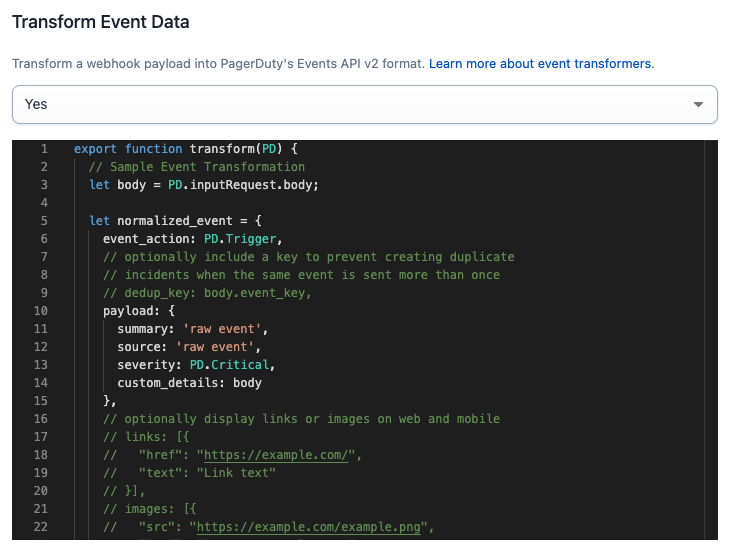
Saving / Deploying
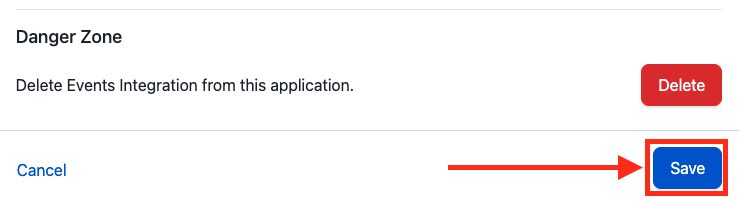
- You must click the Save button at the bottom of the page to save and deploy changes.
- After saving, your transform may take several minutes to deploy. During this time, events will not be processed.
Syntax Errors
- The editor will highlight syntax errors for you to address.
- You will not be able to save and deploy a transformer until syntax errors are addressed.
Testing Your Transformer
- Create a test service.
- Send test webhooks to the test service endpoint.
The PD Object
The PD object is a utility to help you process and transform an event. Its constants and methods are below.
Constants
Event types
For convenience, constants are provided for the event_type field: PD.Trigger, PD.Acknowledge, and PD.Resolve.
| Name | Description |
|---|---|
PD.Trigger | use this event type to trigger an incident |
PD.Resolve | use this event type to resolve a triggered incident |
PD.Acknowledge | use this event type to acknowledge a triggered incident |
PD.inputRequest
This object allows you to access the request that your integration just sent to PagerDuty.
| Name | Description |
|---|---|
PD.inputRequest.uri | an object with the details of the URI that the request was sent to |
PD.inputRequest.rawBody | the raw, unparsed body of the request |
PD.inputRequest.body | the parsed body of the request, if a supported Content-Type was given. Supported Content-Types are application/json, application/x-www-form-urlencoded and multipart/form-data |
PD.inputRequest.headers | the HTTP headers present in the request |
PD.inputRequest.method | the HTTP method used to make the request |
Methods
PD.assertType
Signature: PD.assertType(type, value, value_human_name)
PD.assertType is a utility function used to assert the type of a field. If the assertion fails, we will drop the event and the function execution will stop. If the assertion passes, the function execution continues.
Examples:
PD.assertType(Array, x, "the key x in object inputRequest.body")PD.assertType([Boolean, Number], x, "the key x in object inputRequest.body")
PD.fail
Signature: PD.fail(error_message)
PD.fail is used to indicate that the event should be dropped
Example:
PD.fail(“Failed to parse event”)
PD.emitEventsV2
Signature: PD.emitEventsV2([pagerduty_events_v2_object])
PD.emitEventsV2 is used to emit an event or multiple events into the PagerDuty ecosystem.
- Each invocation of
PD.emitEventsV2emits one additional event to the set of events that the incoming event is being transformed into. - For example, two invocations of
PD.emitEventsV2would mean the incoming event is transformed into two events. - An incoming event can be transformed into one or more events, but no more than 40.
PagerDuty imposes a limit on the number of events emitted by the PD.emitEventsV2 method that will be processed.
Though the PD.emitEventsV2 method may be invoked any number of times, only the first 40 events emitted will be processed.
Any events emitted in excess of the 40 event limit will be dropped and a single event will be generated saying "Event {{incoming event ID}} was transformed into {{total count}} fanout events. The first 40 were successfully processed. The remaining {{excess count}} excess fanout events were dropped."
PagerDuty Events v2 Object
The PagerDuty Events v2 object is in the Events API v2 format.
After applying logic, your transformer should pass a PagerDuty Events v2 object to the PD.emitEventsV2 method (see section above).