Developer
Custom Change Event Transformer
Custom Change Event Transformer
Warning
Apps are the preferred way to create Event Transformers
Create an app to get these new benefits:
- Use your Event Transformer on any PagerDuty service on your account
- Publish your Event Transformer as an integration for all PagerDuty users
- Syntax highlighting and linting to catch errors
- More modern JavaScript (ES6)
A Custom Change Event Transform allows users to reliably convert a payload sent by integrations to a payload understood by PagerDuty, using JavaScript (ES5), in order to generate a change event.
Writing your first Custom Change Event Transform
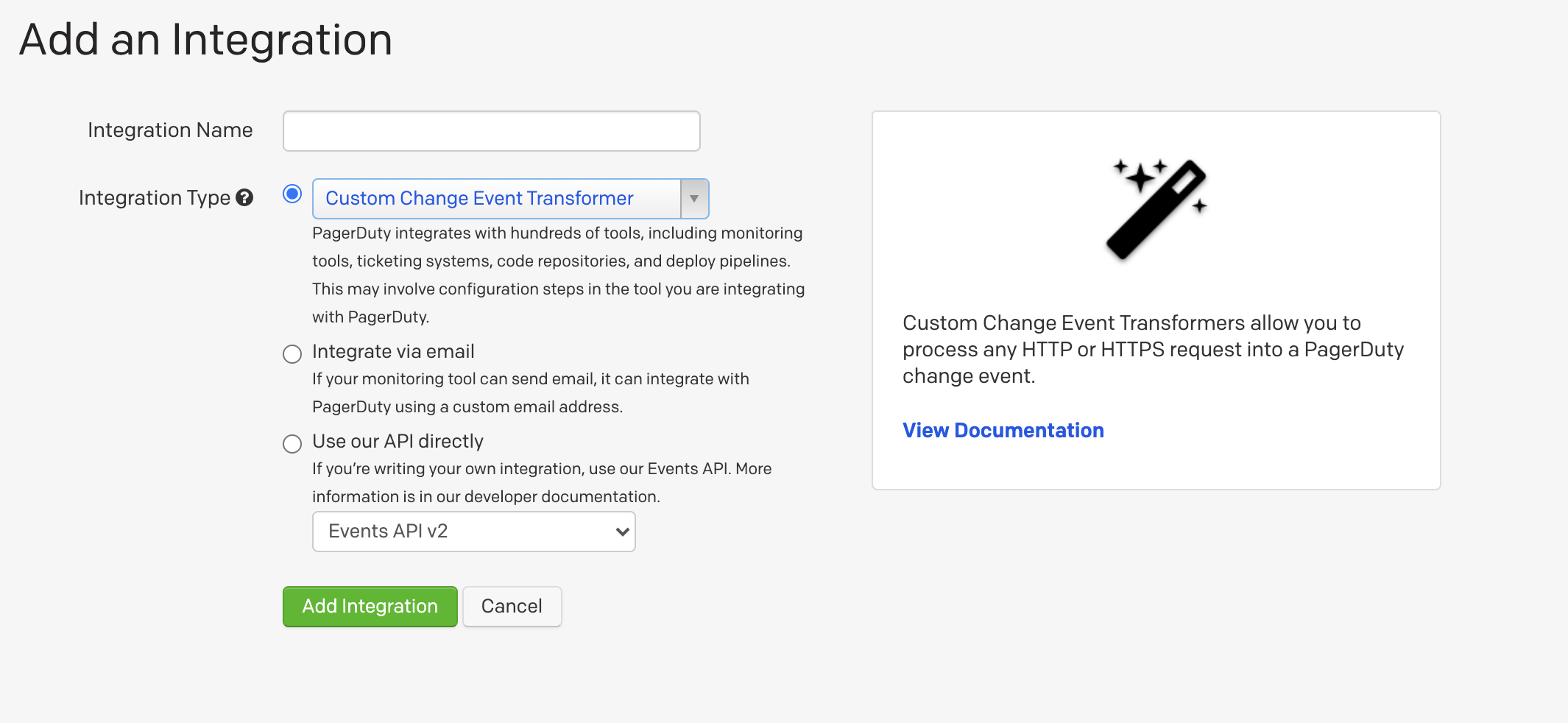
- Create a new service, or add an integration to an existing service, and for Integration Type, select Custom Change Event Transformer.
- Once you have created the integration or service, go to the view page of the integration.
- Click Show JavaScript.
- You have some pre-populated code which would create an event with the raw body of the request in the body.
- Send a test payload via HTTP POST to the integration URL.
- Once you have sent the test payload, a change event will be created on that service. The custom details in your change event contains the body of the request that was sent, which demonstrates the structure of data available to you within the scope of the JavaScript.
- Note the option Debug mode. This can be disabled once you are done designing your Custom Change Event Transform to ignore events that are incompatible with your transform, which includes people accidentally opening the integration URL in their web browser.
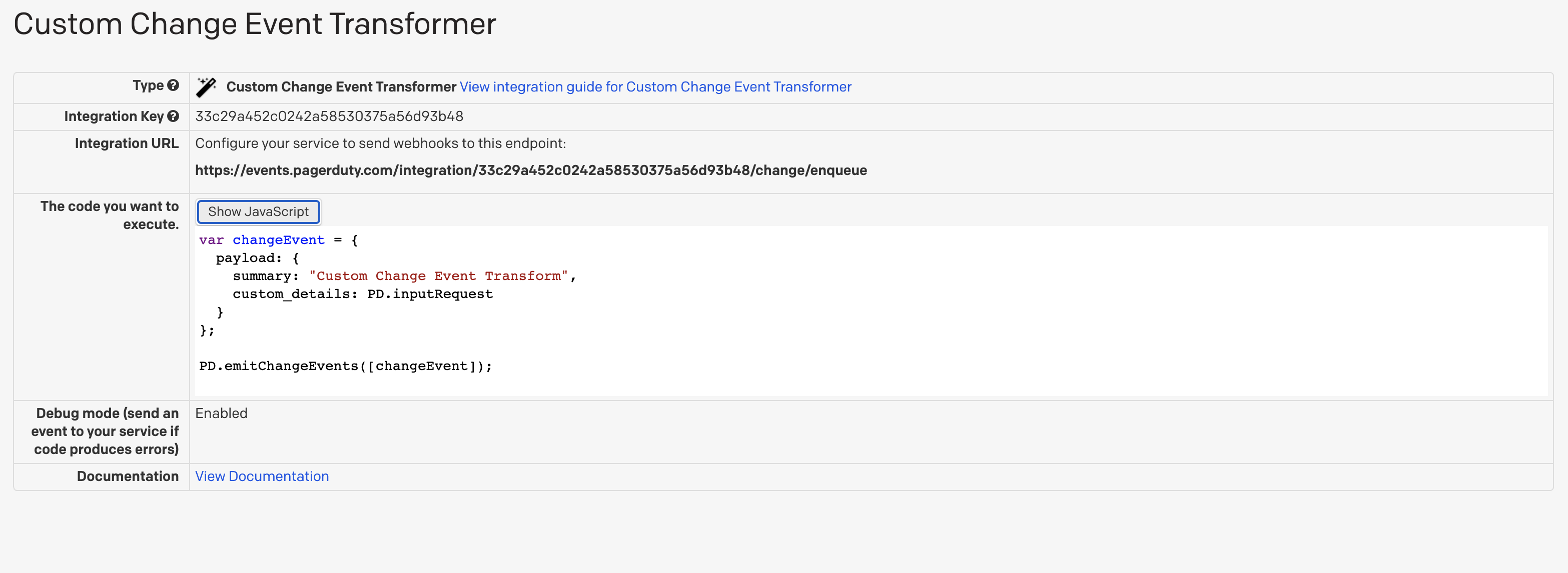
To understand the pre-populated code and how to get your function to emit change events to PagerDuty, see The PD Object below.
The PD Object
Constants
PD.inputRequest
This object allows you to access the request that your integration just sent to PagerDuty.
PD.inputRequest.uri- an object with the details of the URI that the request was sent toPD.inputRequest.rawBody- the raw, unparsed body of the requestPD.inputRequest.body- the parsed body of the request, if a supportedContent-Typewas given. SupportedContent-Types areapplication/json,application/x-www-form-urlencodedandmultipart/form-dataPD.inputRequest.headers- the HTTP headers present in the requestPD.inputRequest.method- the HTTP method used to make the request
Methods
PD.assertType
PD.assertTypeis a utility function used to assert the type of a field. If the assertion fails, we will drop the event and the function execution will stop. If the assertion passes, the function execution continues.- Signature:
PD.assertType(type, value, value_human_name)
Examples:
PD.assertType(Array, x, "the key x in object inputRequest.body")PD.assertType([Boolean, Number], x, "the key x in object inputRequest.body")
PD.fail
PD.failis used to indicate that the event should be dropped- Signature:
PD.fail(error_message)
Example: PD.fail(“Failed to parse event”)
PD.emitChangeEvents
PD.emitChangeEventsis used to emit a change event or multiple change events into the PagerDuty ecosystem- Signature:
PD.emitChangeEvents([the_pagerduty_payload])
The PagerDuty Payload
The PagerDuty change event payload is fairly simple. It is a JSON object in the same form as accepted by Events API v2, with the exception that routing_key is not required or needed in the payload.
Note
Debug Mode
Setting your Custom Change Event Transform to debug mode allows you to test your universal transform as you write it. If there are any errors in your code, you will still receive a triggered incident with a brief description of the error. You can set the integration to debug mode by changing the configuration of the integration the service.
Examples
A simple service that creates basic change events
Here's the most basic custom change event transformer possible. It generate a sparse change event on every request to the integration URL -- even opening it up in a web browser:
var changeEvent = {
  payload: {
    summary: 'Basic change event',
    custom_details: PD.inputRequest
  }
};
PD.emitChangeEvents([changeEvent]);
Assuming a request body that has corresponding fields, we can define a transformer that just does a straight mapping.
var data = PD.inputRequest.body
var changeEvent = {
  payload: {
    summary: data.summary,
    timestamp: data.timestamp,
    source: data.source,
    custom_details: data.details
  },
  links: [{
    href: data.link,
    text: data.link_description
  }]
};
PD.emitChangeEvents([changeEvent]);
Github
This script takes GitHub issue webhooks and turns them into change events:
var webhook = PD.inputRequest.body;

var changeEvent = {
  payload: {
    summary: webhook.issue.title,
    source: "Github issues",
    custom_details: {
      issue_number: webhook.issue.number,
      description: webhook.issue.body
    }
  },
  links: [{
    href: webhook.issue.html_url,
    text: "View on Github"
  }]
};

if(webhook.action=="opened") PD.emitChangeEvents([changeEvent]);
Instagram → Zapier → PagerDuty
Keep track of when your Instagram changes. This script takes a Zapier webhook triggered from Instagram and makes it a PagerDuty change event:
var webhook = PD.inputRequest.body;

var changeEvent = {
  payload: {
    summary: 'Incoming kitten from ' + webhook.user.username,
    source: 'Instagram',
    custom_details: {
      image: webhook.images.standard_resolution.url,
      alt: webhook.caption.text
    }
  },
  links: []

};

if (webhook.caption.text.indexOf('cute') > -1) {
changeEvent.links.push({
    href: 'https://broadly.vice.com/en_us/article/why-you-are-addicted-to-cute-baby-animals',
    text: '[Runbook] How to handle cuteness overload'
  });
}

PD.emitChangeEvents([changeEvent]);