Incident Management
Post-Incident Review Stages
Track your Post-Incident Reviews
Post-Incident Review Stages provide quick visibility into an investigation’s current status. You can use Post-Incident Review Stages to easily track the progression of your incident review process.
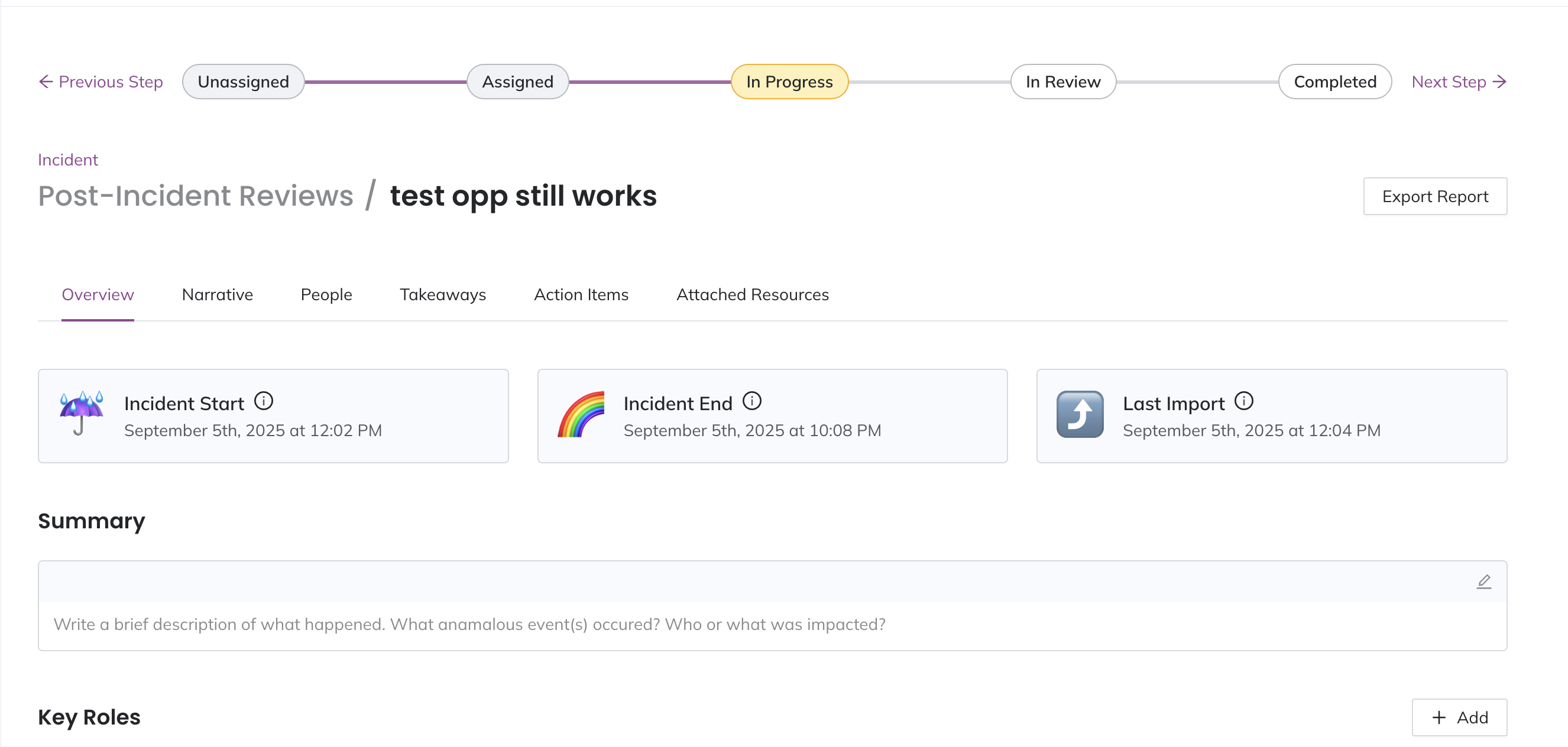
There are five Post-Incident Review Stages:
- Unassigned: You have created a Jeli Post-Incident Review, but you have not assigned an investigator. This can indicate that no one is working on the incident review.
- Assigned: You have assigned an investigator to an Post-Incident Review, showing who is accountable for its completion. Jeli automatically applies this stage once an investigator is assigned.
- In Progress: The investigator has started working on the Post-Incident Review. This stage will be automatically recognized if the investigator has added a marker in the Narrative Builder.
- In Review: The investigator is seeking feedback on the Post-Incident Review from peers that participated in the incident.
- Completed: Incident responders have reviewed the Post-Incident Review and are no longer working on it.
Availability
Post-Incident Review Stages are available with the Professional, Business, and Enterprise for Incident Management pricing plans.
Please contact our Sales Team if you would like to upgrade to a plan featuring Post-Incident Review Stages.
Legacy Customers
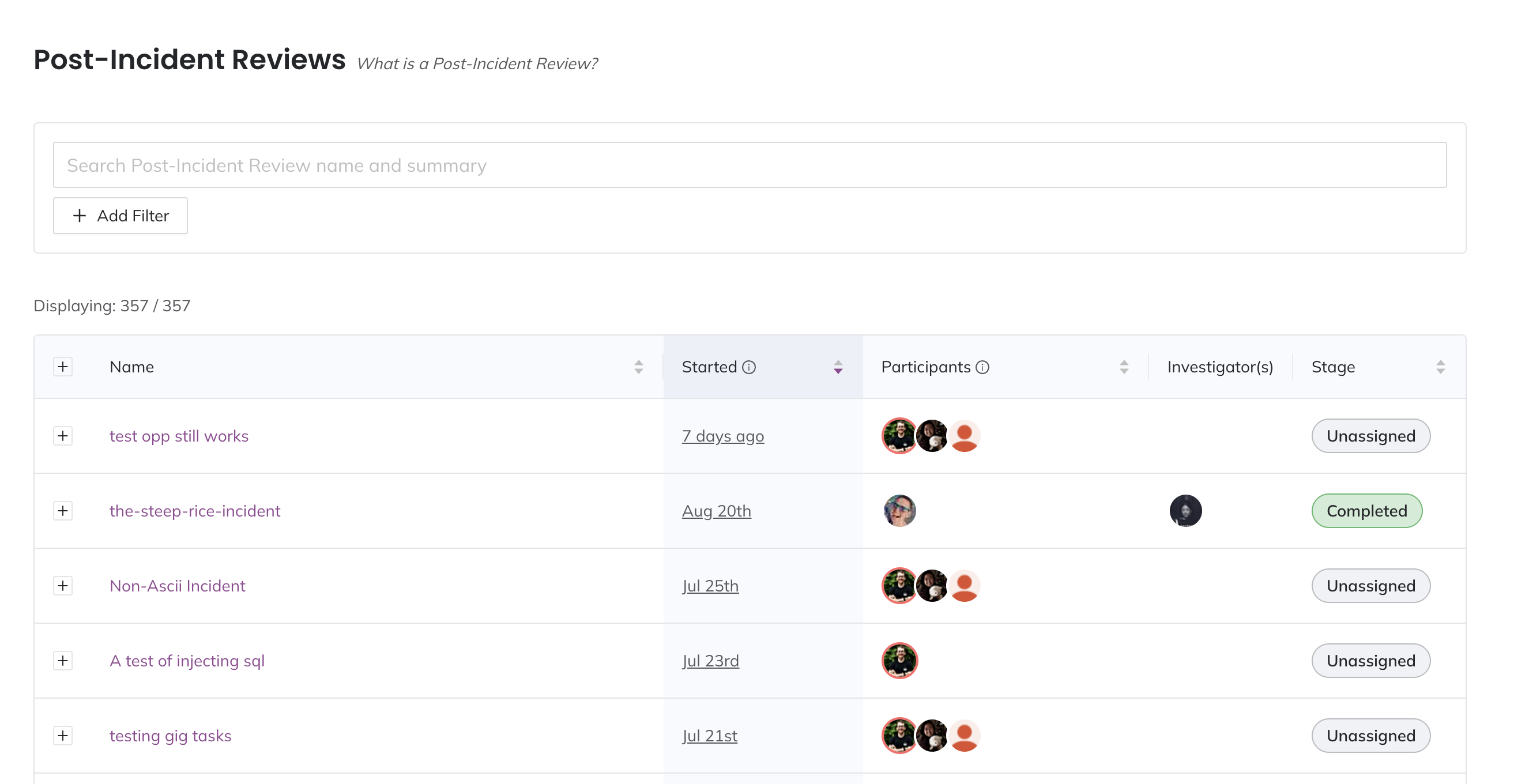 List of Post-Incident Reviews
Post-Incident Review Stages Timeline
The Post-Incident Review Stages timeline provides an at-a-glance view of each Jeli Post-Incident Review's status. The timeline is displayed at the top of each Post-Incident Review page, highlighting the currently active stage. This can be particularly helpful for executives who want to quickly assess a Post-Incident Review's progress.
Manually Move Post-Incident Review Stages
When viewing a Post-Incident Review, you can manually update the Post-Incident Review stage from the timeline. You can click Previous Step, Next Step or the name of the stage you want to move to.
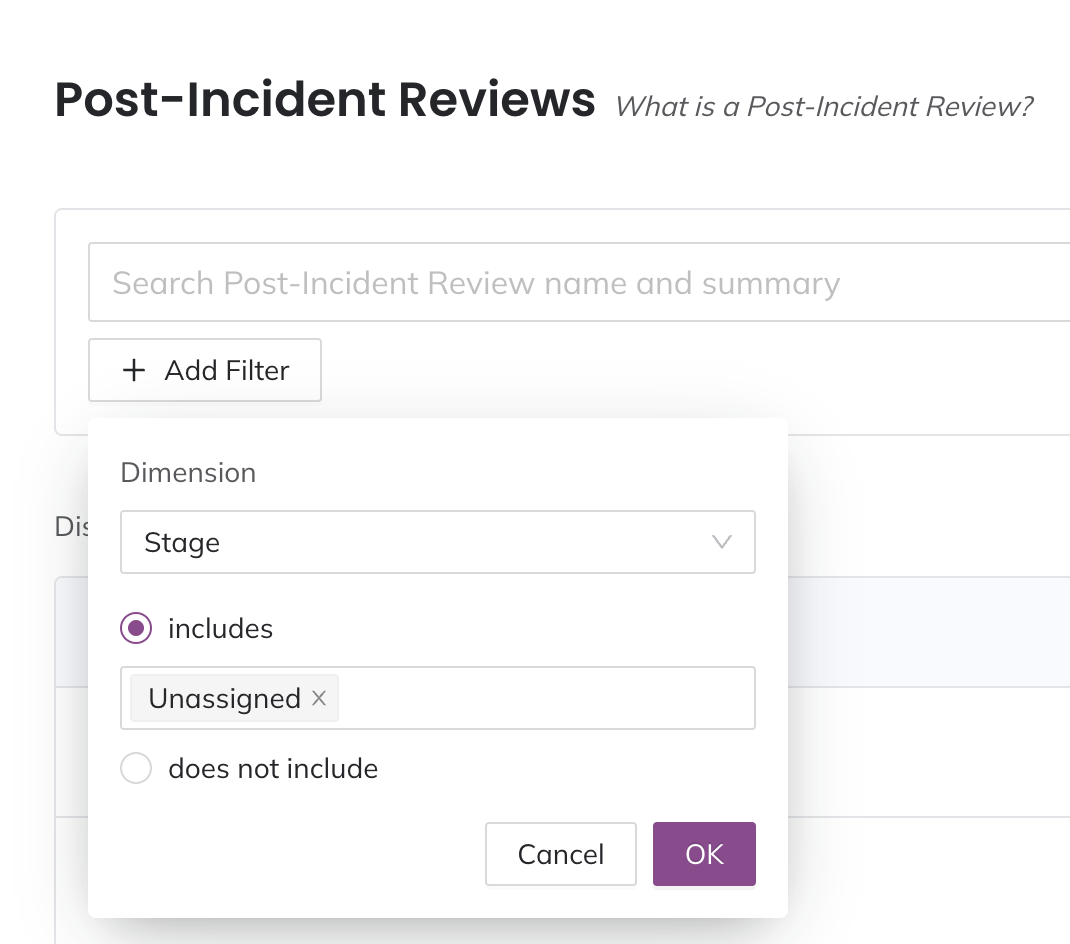
Filter by Post-Incident Review Stage
You can use the filter on the Post-Incident Reviews page to select Post-Incident Reviews in a specific stage. This can help you see which Post-Incident Reviews may need additional attention or resources.
-
Navigate to Post-Incident Reviews and click Add Filter.
-
Select a Dimension to filter by:
- Stage
- Tags
- Start date
- Key role
- Participants
- Duration
- Event or note content
-
Depending on the dimension you select, enter any additional required criteria.
-
Click OK.
After you have created a filter, optionally click to add more filters. Click Clear all filters to reset your view.