Incident Management
Import HR Data
Jeli Part of PagerDuty
Using data from your HR system, Jeli can display the team, role, and home timezone of each person involved in an incident’s response. Understanding who participated in incidents is crucial to investigating the full social, as well as technical, context of an event.
Availability
Jeli is available to customers with a standalone Jeli plan, or the Enterprise plan for Incident Management.
Please contact our Sales Team to upgrade to an account plan with Jeli.
Upload HR data
Jeli Admins can import HR data easily to Jeli from a CSV file. There is an upload limit of 10MB file at a time. If your CSV is larger than 10MB, we recommend splitting it into smaller files and uploading one at a time.
To upload your HR data:
- Navigate to Settings Integrations HR Data Connect HR Data.
- Prepare a CSV file for import. Please include the following column headers in your CSV upload. Headers are case-sensitive:
nameemaillocationtitleteammanagerstartDate
- Click or drag your CSV file into the upload box in Jeli. You will then have updated HR data in Jeli to help with post-incident analysis.
Manual CSV Uploads
When uploading HR data, new users will be added and existing user data will be updated with any newly included information. If an existing user is not included in a new upload, their data will remain in Jeli. This is to prevent the loss of data associated with former employees who participated in historical incidents.
CSV Example
Here is an example of the columns and format we recommend having in your CSV file:
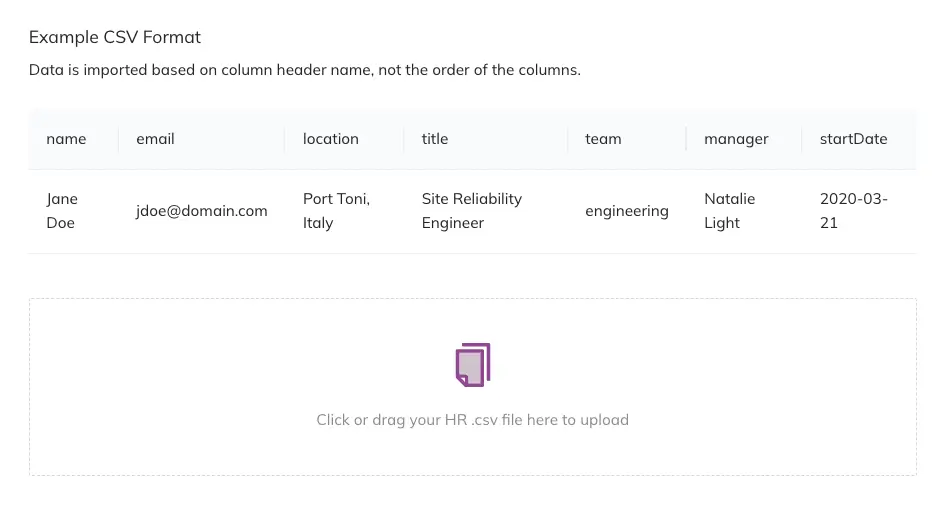 CSV example
Analyze User Data in Jeli
With Jeli, you can learn a lot about the people in your organization and how that information relates to your organization's incident experiences. To give a more holistic view, Jeli imports user-level data in the following ways:
- When users log into Jeli.
- When organizations upload HR Workday data (i.e., role, tenure, kocation).
- When Jeli imports Slack users.
- When Jeli imports PagerDuty users (i.e., on-call information).
For people that are no longer active at your organization, Jeli gives you the option to hide or not display deactivated users.
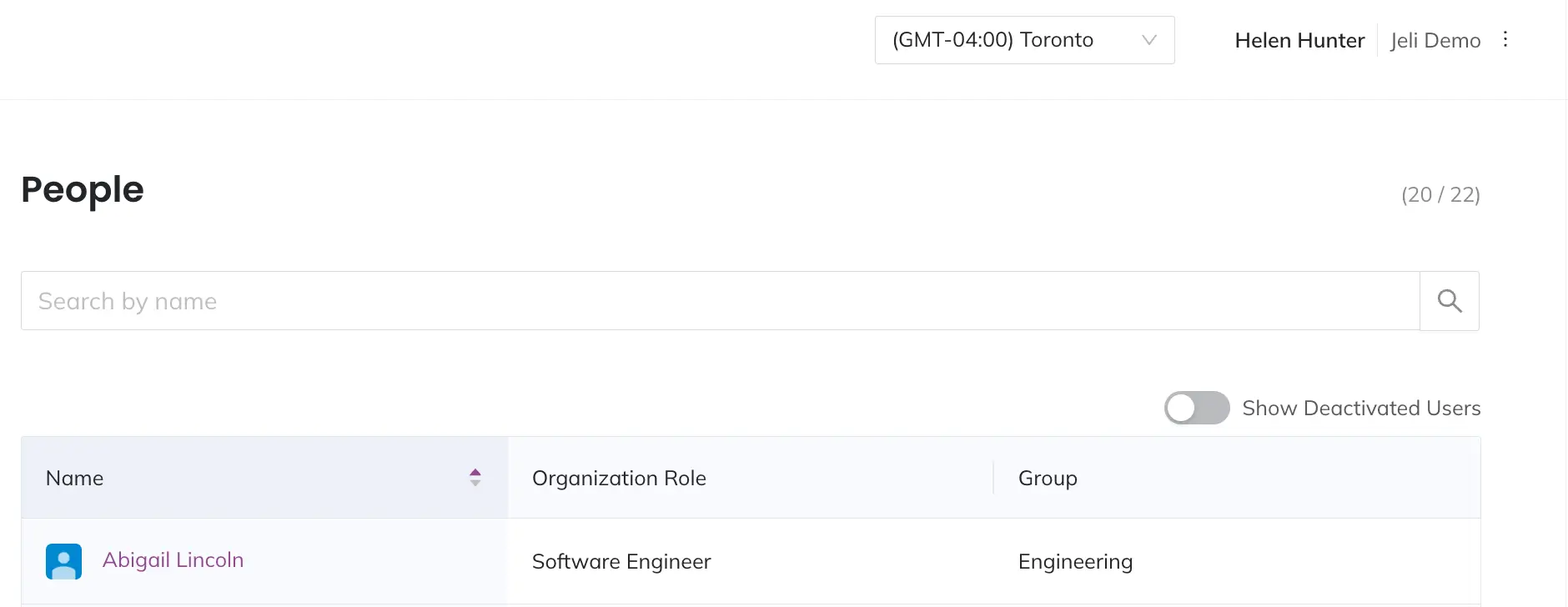 People overview